FAQs covered in this article
Where can I message my buyers?
Will the client be notified?
Can I see past conversations?
Step 1: Go to the production order page
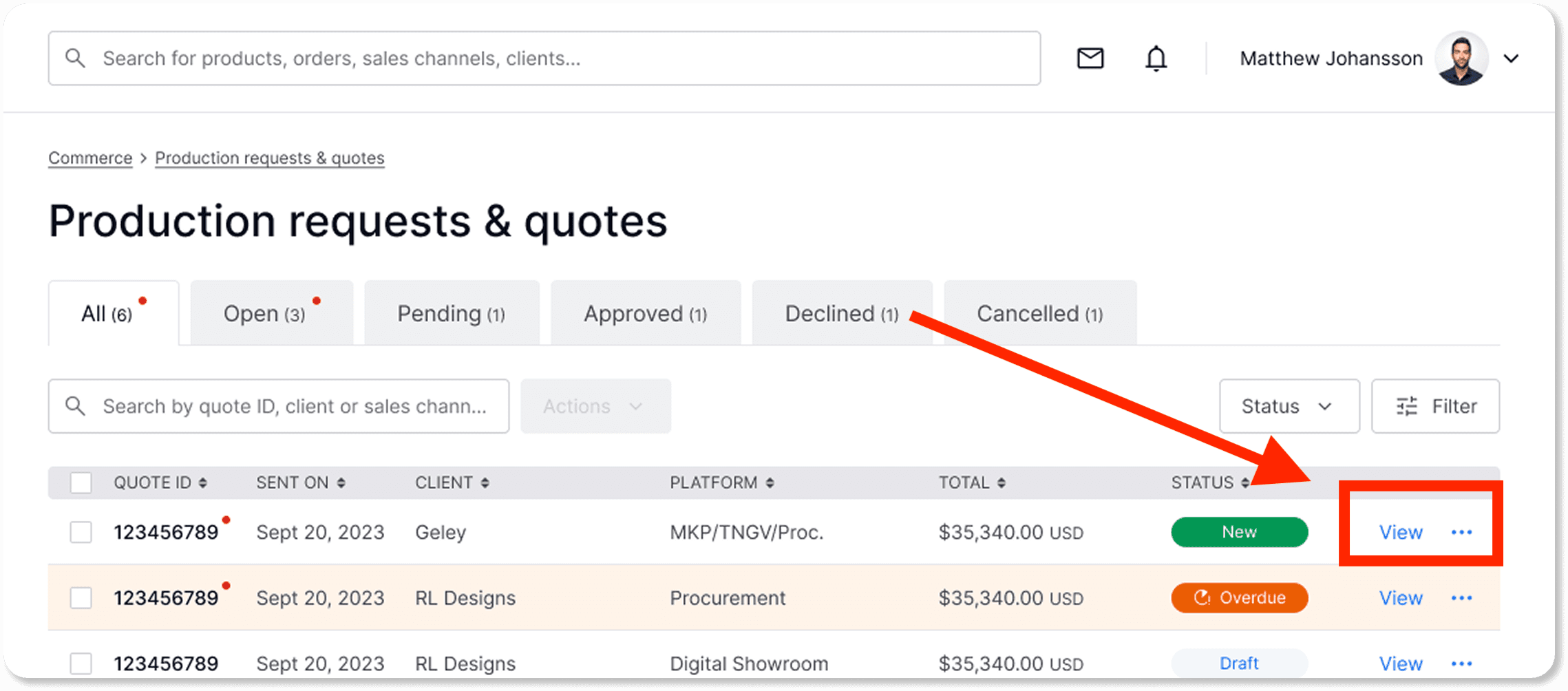
Navigate to Commerce > Production request & quotes |
|---|
Here, you’ll see a list of your ongoing and past production orders.
IMPORTANT: You must have the production order functionality to receive this type of request.
To learn how to activate production orders. Read this article: Activating the production order.
Step 2: Click the order of the client you want to communicate with
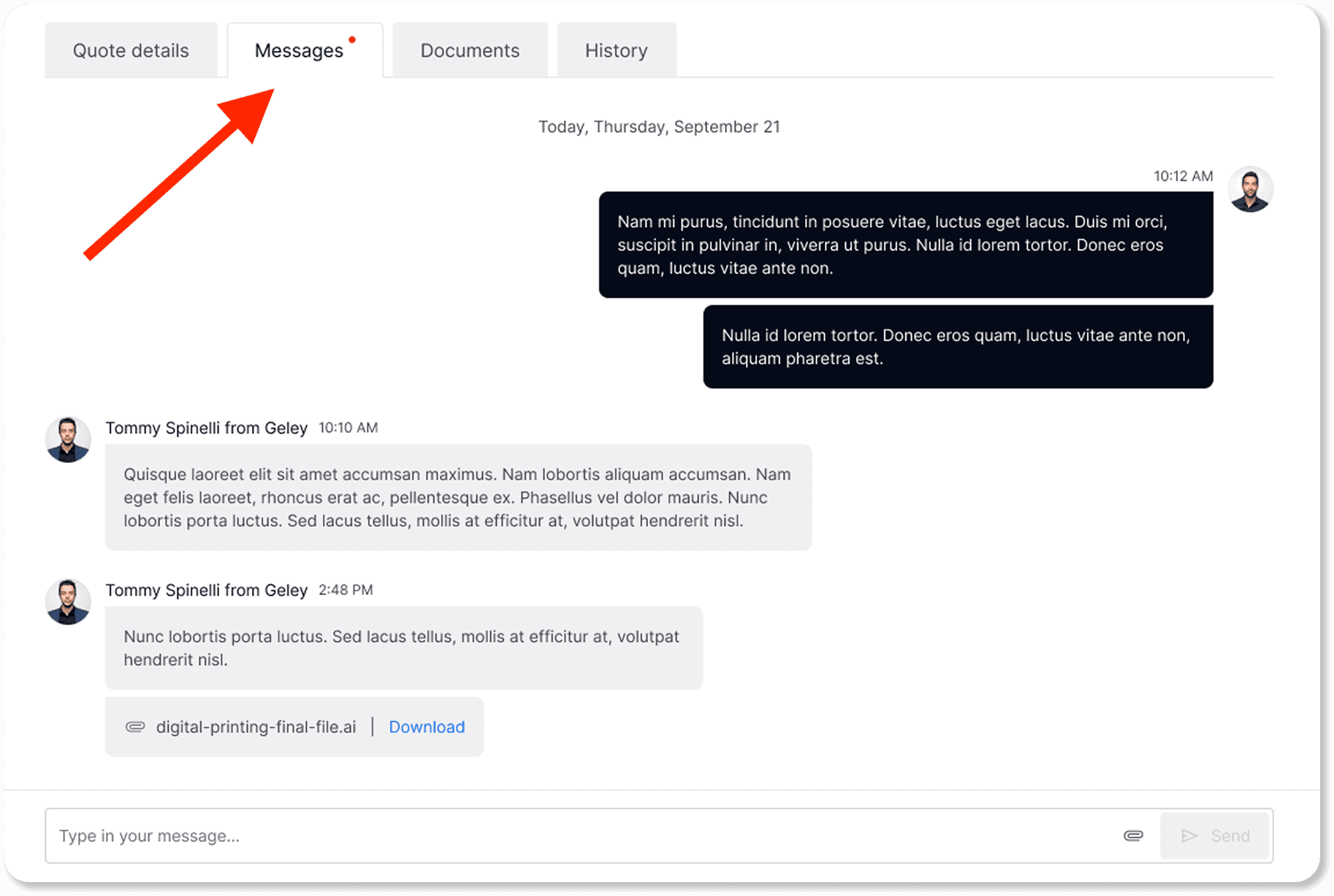
Step 3: Click the ‘Messages’ tab
Inside the production order page, click on the Messages tab. This is where all communication related to that specific order happens.
Will the client be notified?
Whenever you send a message, your client will receive a notification according to their account preferences.
Can I see past conversations?
You can always return to this tab to see your past messages with your client.