You can add multiple accounts with different carriers and enable or disable them in the My Store Settings section.
Important: The shipping fees are paid by the buyers and wired to the account owner (your company). The funds will be available in: Accounting > Fund Withdrawal.
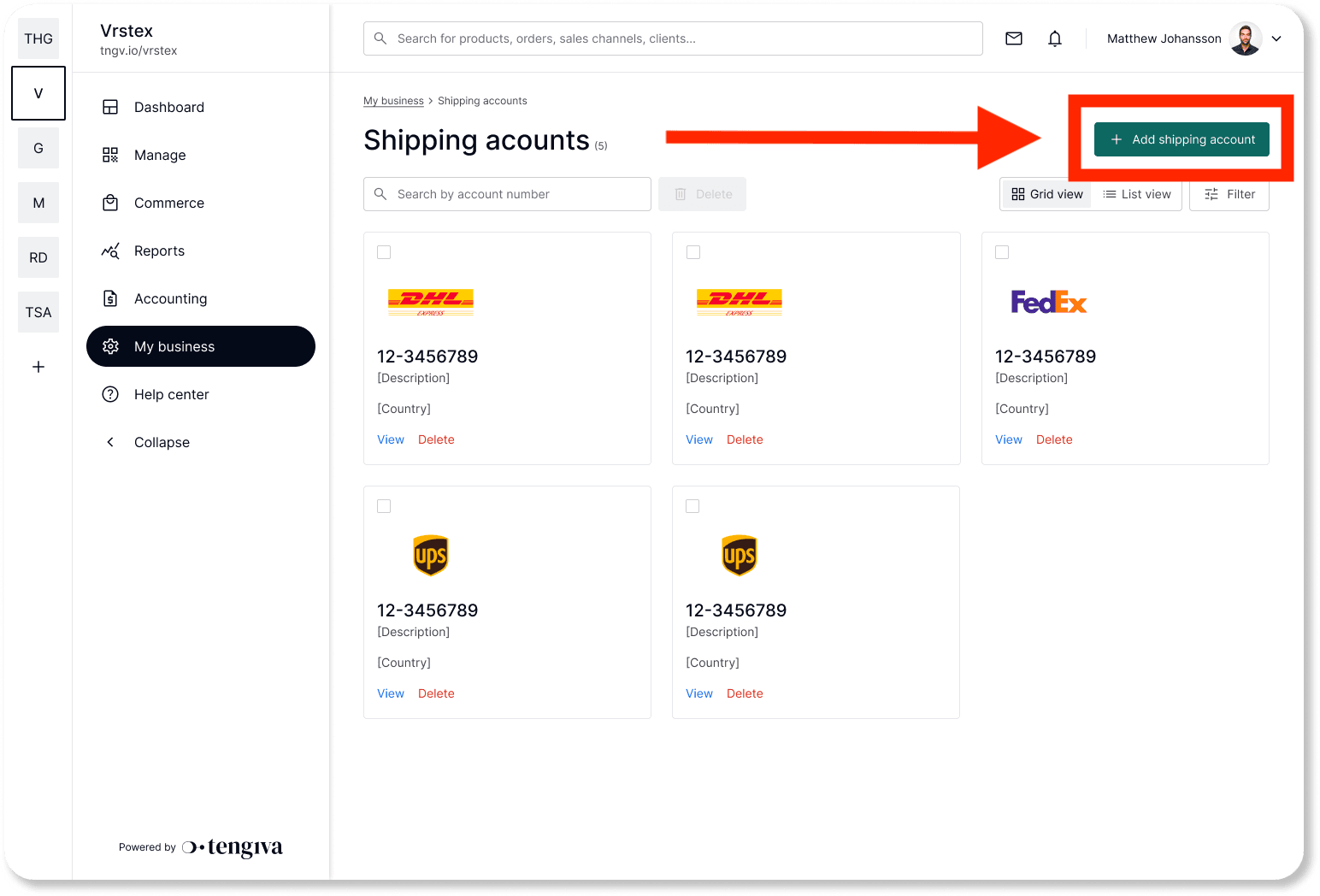
Navigate to My business > Shipping account |
|---|
Step 1: Click on Add shipping account in the top right corner.
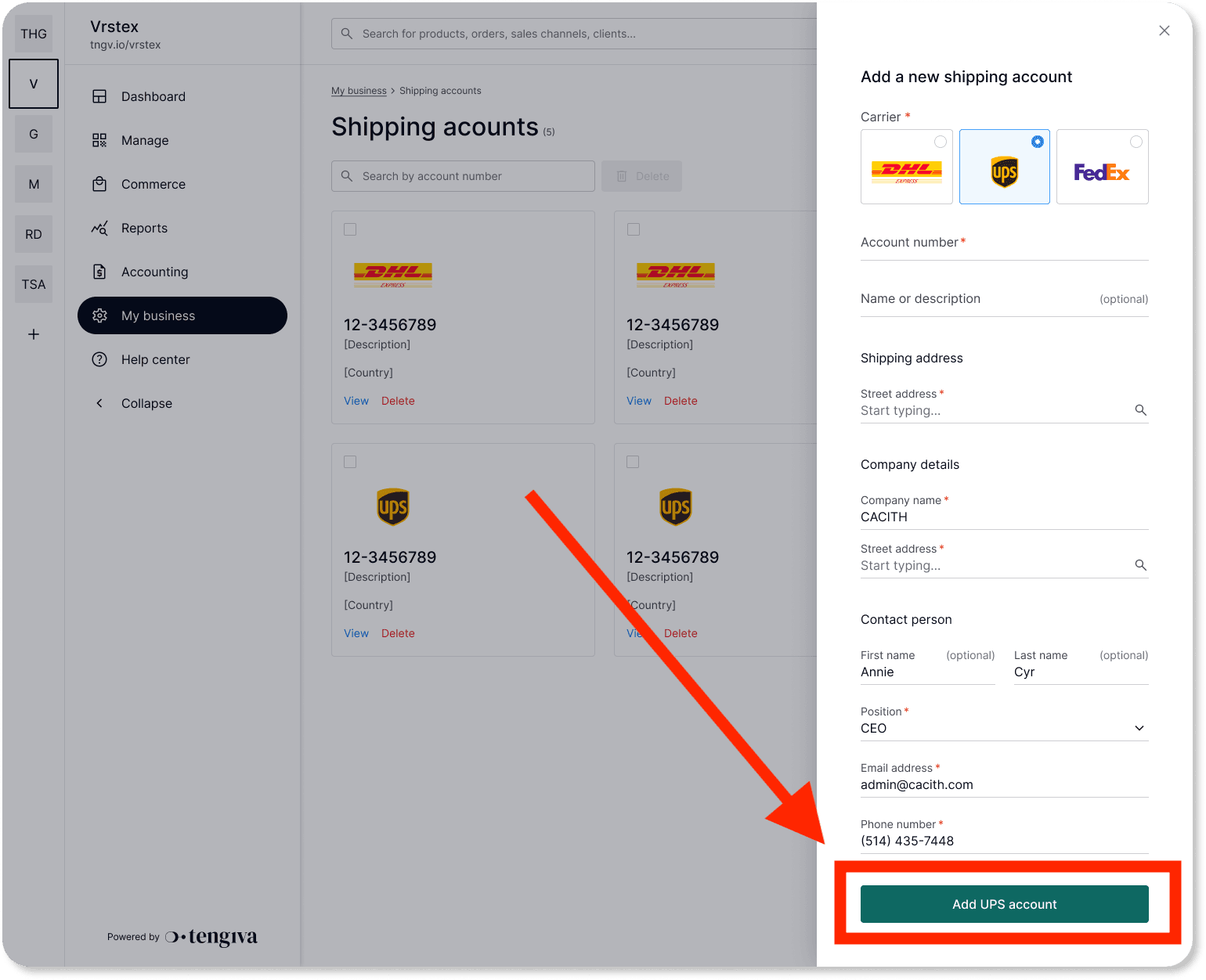
Step 2: Choose your carrier, fill in the information, and save.
Want to connect your DHL, UPS, or FedEx account to the system?
Read our articles on how to connect other shipping accounts to the system:
Managing your DHL shipping account
Managing your UPS shipping account
Managing your FedEx shipping account