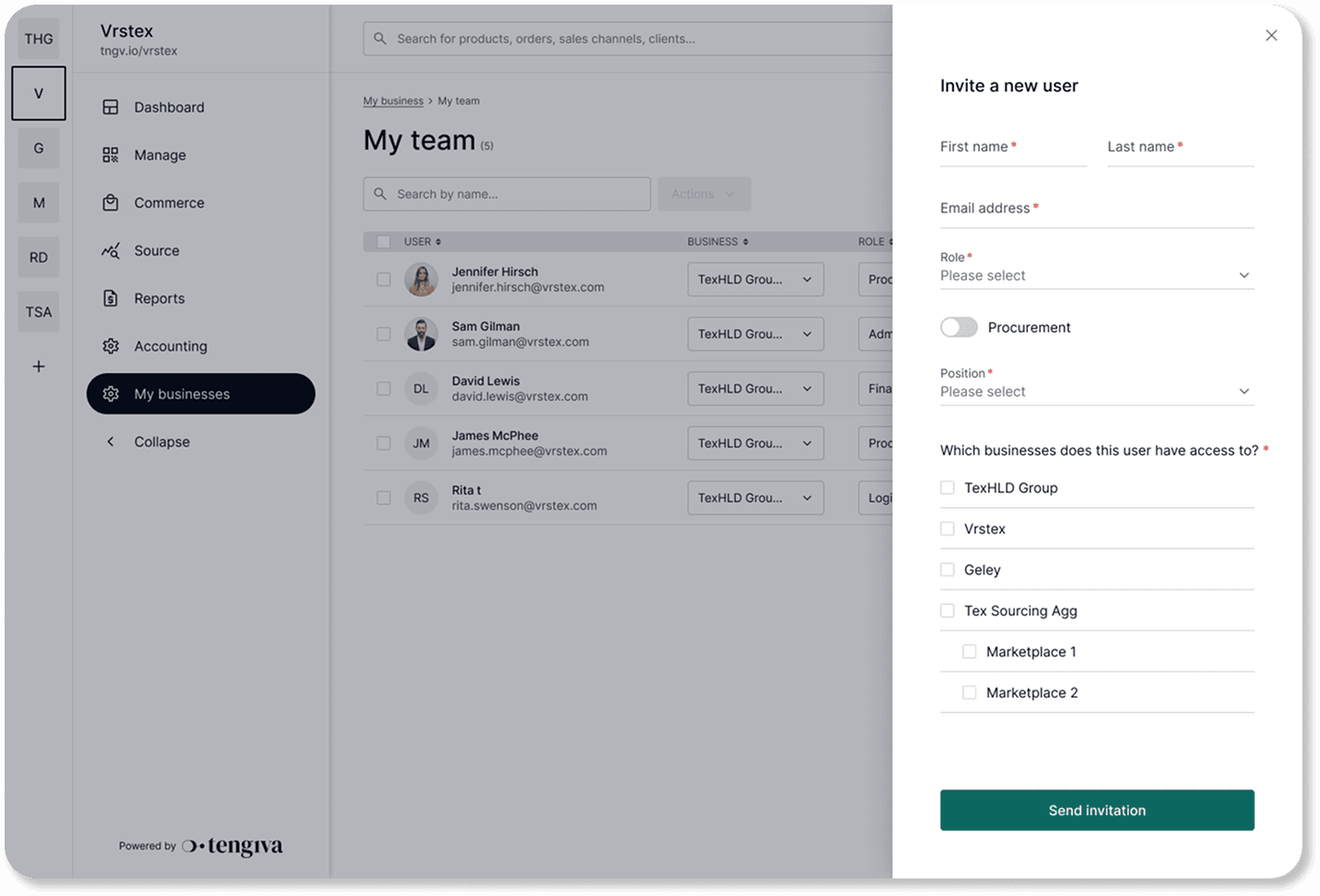
Learn how to manage and invite your employees and colleagues on your system.
FAQs covered in this article:
Can I collaborate with my team on the platform?
How do I invite my team to the system?
How do I assign account roles to team members?
Inviting your team members
Navigate to My business > My team |
|---|
Click on “Invite user” in the top right corner.
Fill in the required information for each team member.
Send out the invitations to each member. They will receive an email to activate their account.
After you send the invitation, your team members simply need to follow the steps in the email. Their profiles will be linked to your company account with the roles and permissions you’ve selected.