FAQs covered in this article :
How do I prepare my samples?
Where do I ship my samples?
Do I need to include additional product information?
How will my information be displayed?
What happens after I send my samples?
Follow these steps to prepare and ship your textiles for digitization.
1. Select the textiles you wish to digitize
Choose the textiles you want to display in the system according to the SKUs you have available.
Make sure the selected products are in stock. Buyers often order small test quantities first, and having available materials improves your chances of larger orders later.
Note: 1 colour = 1 SKU (textile product)
2. Submit your digitization request
Submit a digitization request at this link: New digitization request
On the request page, download and submit the Excel form provided with your product's information.
Ensure that the product information on the form matches the information on the 1-meter samples.
Tip: Only 8 details per product are required, but adding more (composition, certifications, sustainability notes) helps us upload faster and improves visibility for buyers.
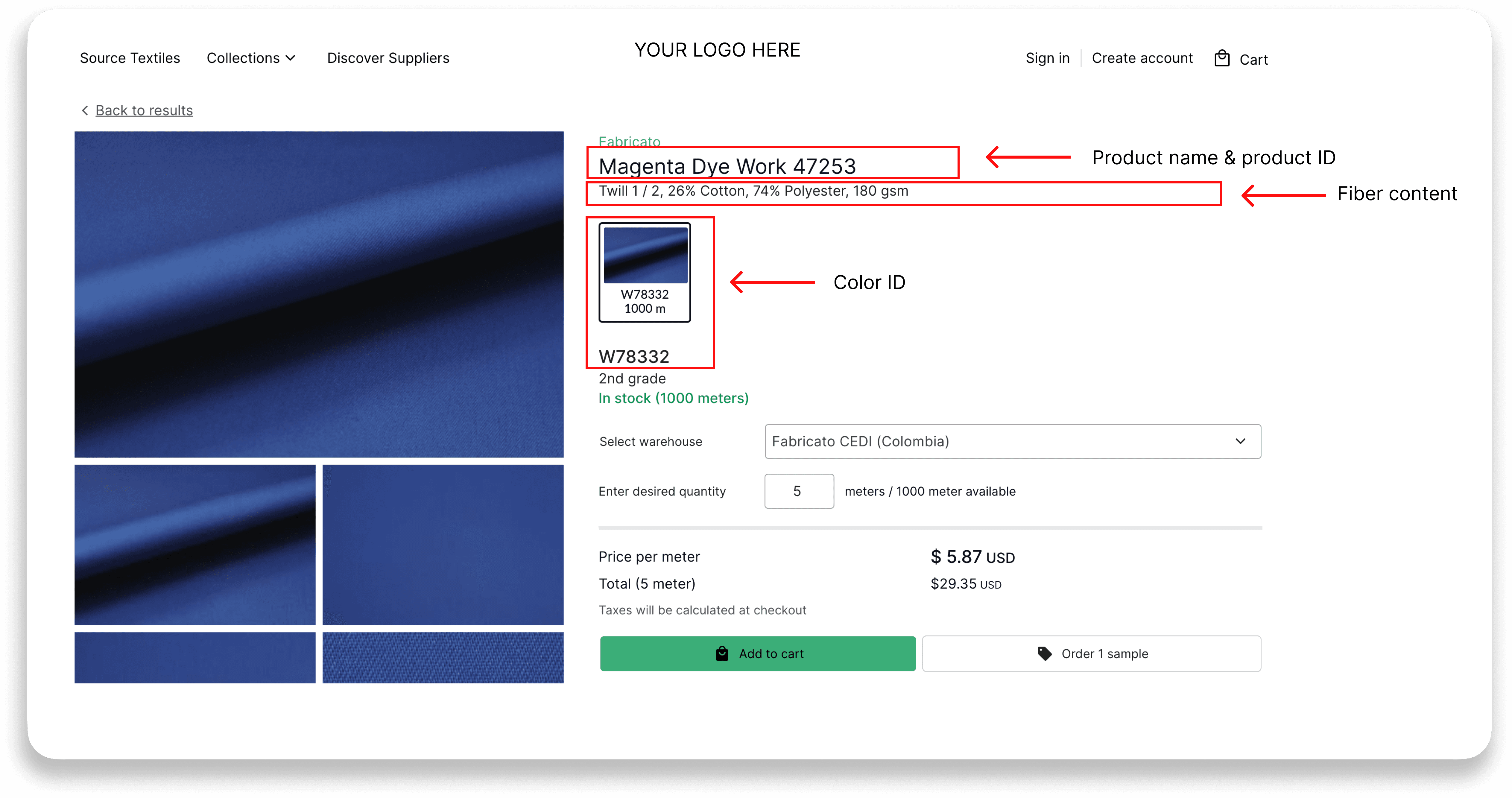
How will your information be displayed?
On the marketplace:
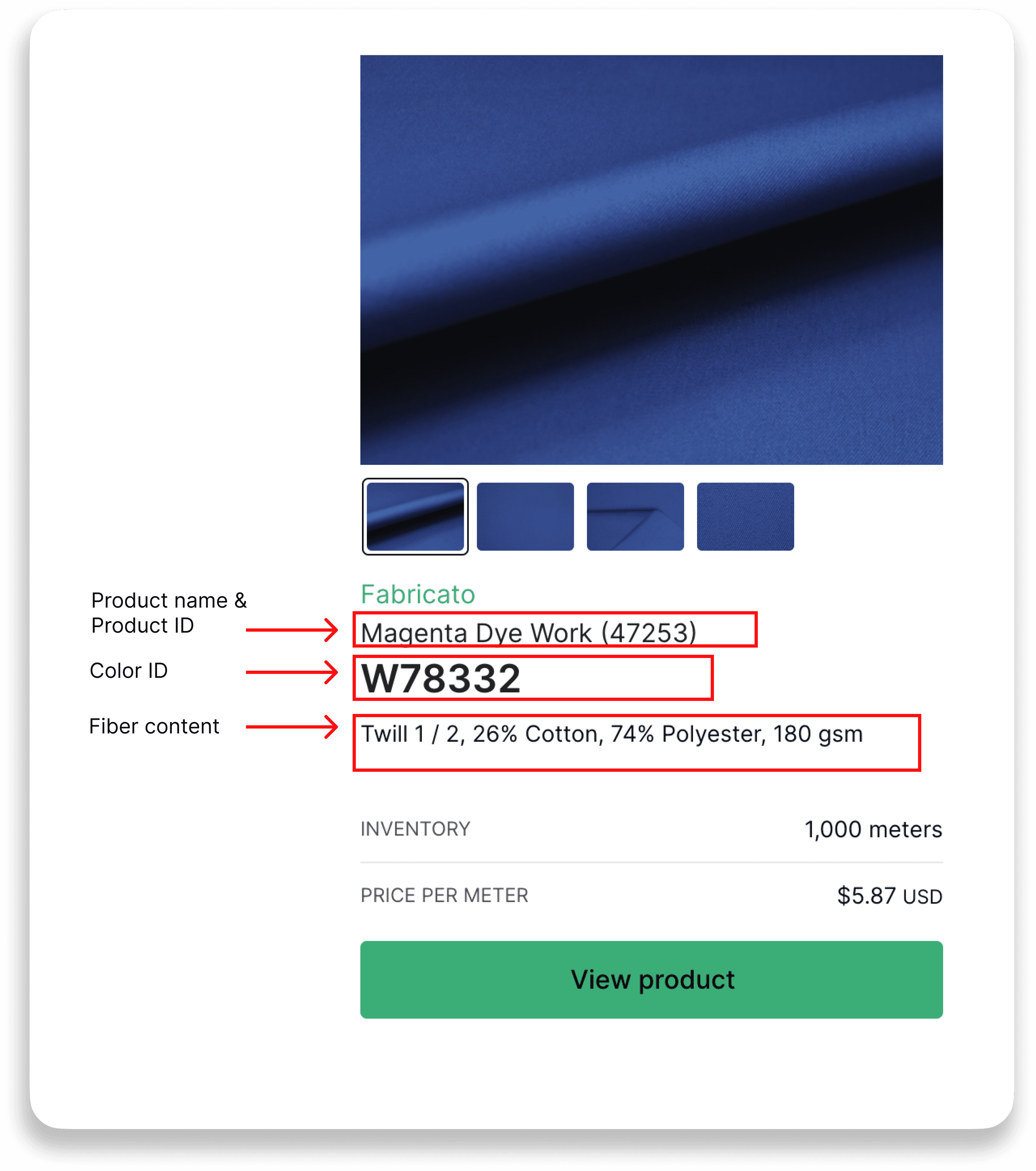
On the product page:
3. Cut and label the samples
Cut 1 linear meter of each fabric in each colour.
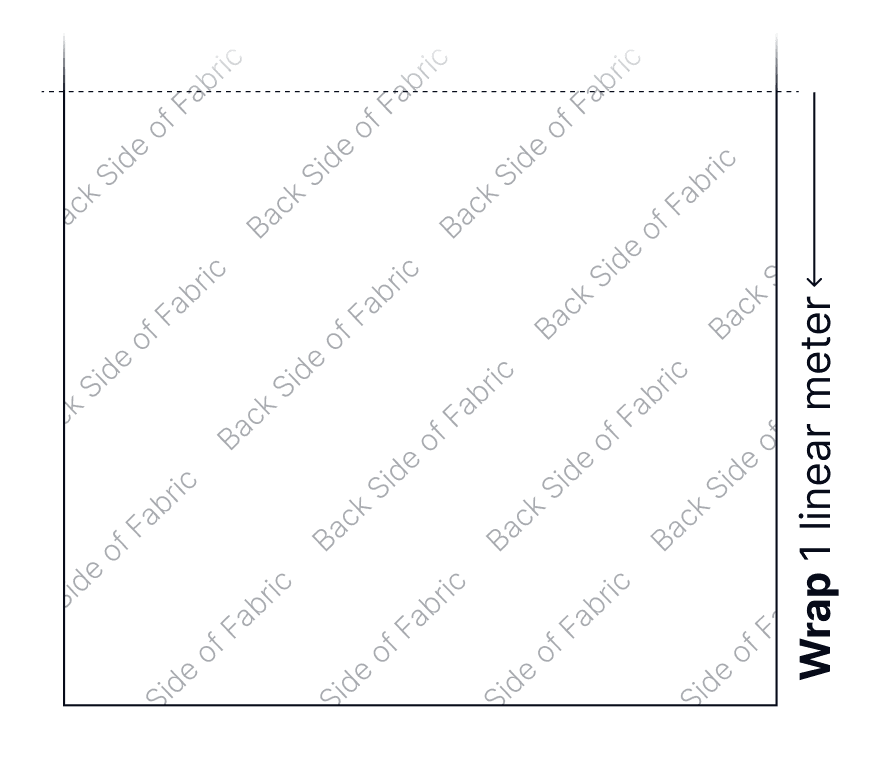
Label the back of each fabric with the following details:
Product (Greige ID)
Product Name (if applicable)
Color ID
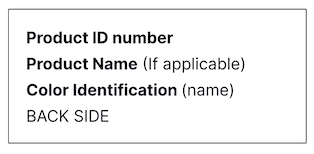
Fold the fabric with the label on top.
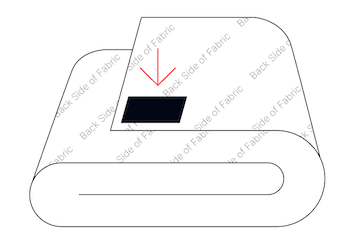
See the attached one-pager for detailed preparation instructions.
You can also download and print it for your warehouse staff to follow.
Sample preparation one-pager
4. Ship the samples to Tengiva
Place the labelled samples in a box and ship them to this address:
Attention: Amélie Lamarche
Company: Tengiva
Address: 5524 Saint Patrick St.
Office: #110
City: Montréal
Province: Québec
Postal code: H4E1A8
Country: Canada
Phone: +1-514-830-6972
Email: help@tengiva.com
Business Tax ID: 788098499RT0001
Customs & duties billed to: SENDER (your company) and declared as samples, below 20 USD value
5. After shipping
Please send the tracking number along with the filled-out form to help@tengiva.com. This helps us track your submission and ensures a smooth digitalization process.
Please make sure to indicate in the shipment: Charge the customs to the sender (your company).
What happens next:
Once your samples and form are received, the Tengiva team will begin processing them. This includes professional photography and data upload.
⏱️ Processing time: The process typically takes up to 2 weeks and is handled in the order that submissions arrive.
After your products are digitized, they will be made available in the system, and you will be booked for a training session.
