FAQs covered in this article:
How do I add my company's tax ID/information to the system?
This article is about entering your company's tax information.
If you want to set up the taxes and pricing of your products, go to this article: Setting up your pricing rules and sales tax.
Adding your tax information
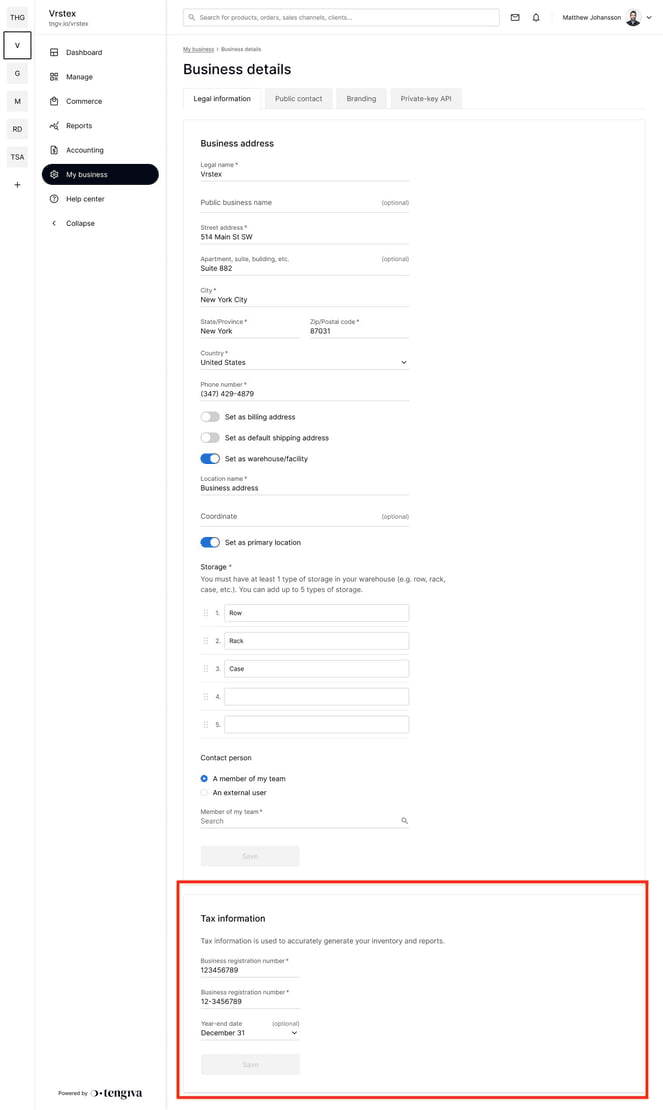
Navigate to My Business > Business details > Legal information tab > Tax information. |
|---|
Tax information:
This section is used to accurately calculate taxes for your inventory and reports. The information entered will also be reflected on client invoices.
2. Enter the following details:
Business registration number
Year-end date
Ensure that all information is correct before submitting, as it impacts your billing and reporting processes.